Adding your own, custom Avatars
Note: As of January 2026 ReadyPlayerMe is not available for creating new avatars (existing ReadyPlayerMe avatars still work).
In SightLab you can use either "Head and Hands" or full body avatars. These can be from many sources, for the head and hands you can add custom 3d objects and for full body avatars these can be from ReadyPlayerMe, RocketBox or Mixamo as well. Mixamo allows rigging custom skeletons, so other avatar libraries can be used by going through that custom rigging.
Full Body Avatars
Full Body Avatars go in C:\Program Files\WorldViz\Sightlab2\sightlab_resources\avatar\TrackedAvatars
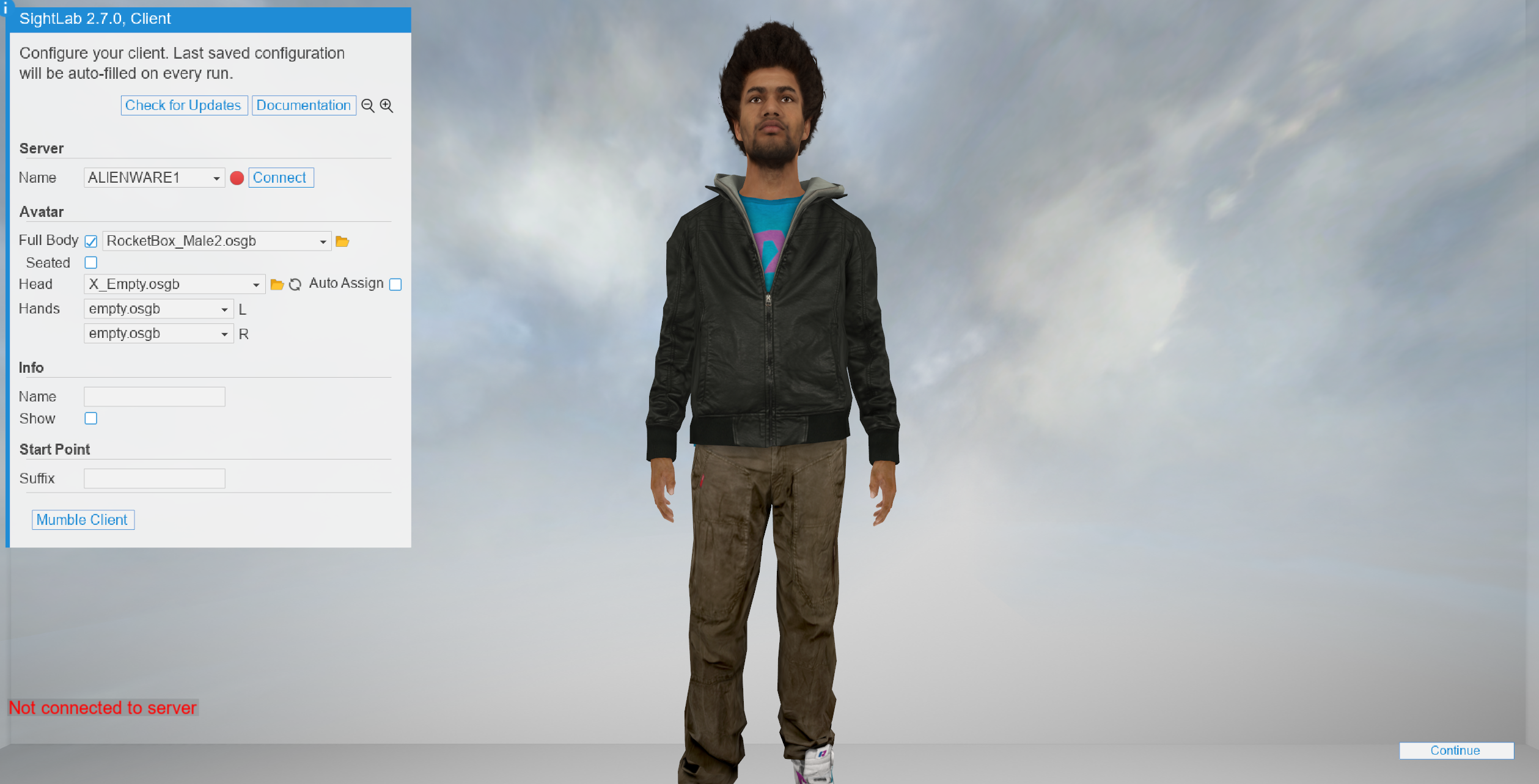
Head and Hands Avatars
Place heads in the sightlab_utils/resources/avatar/head folder (may require permissions to write to this folder) on all clients and it will automatically show up as an option in the dropdown. Controllers are added separately in the resources/avatar/hand folder. There is also a folder icon on the client to access this folder.
For segmenting out the head and hands
Right click and choose to open with "Inspector", or can just double click if you've already set Inspector as your default 3D model editor for .glb files.
If you will just be tracking the head and hands (the default method if not selecting "full_body", you will remove the body by selecting each body part and then clicking delete (so you only leave the head)
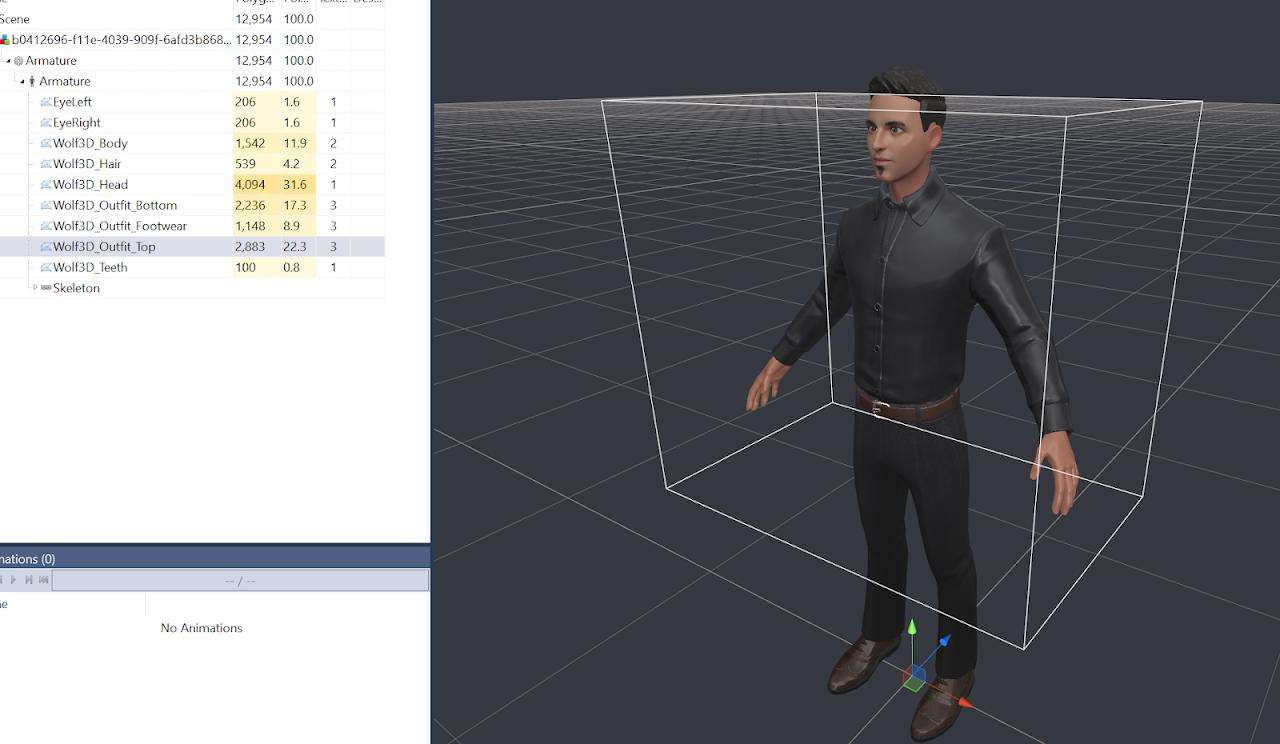
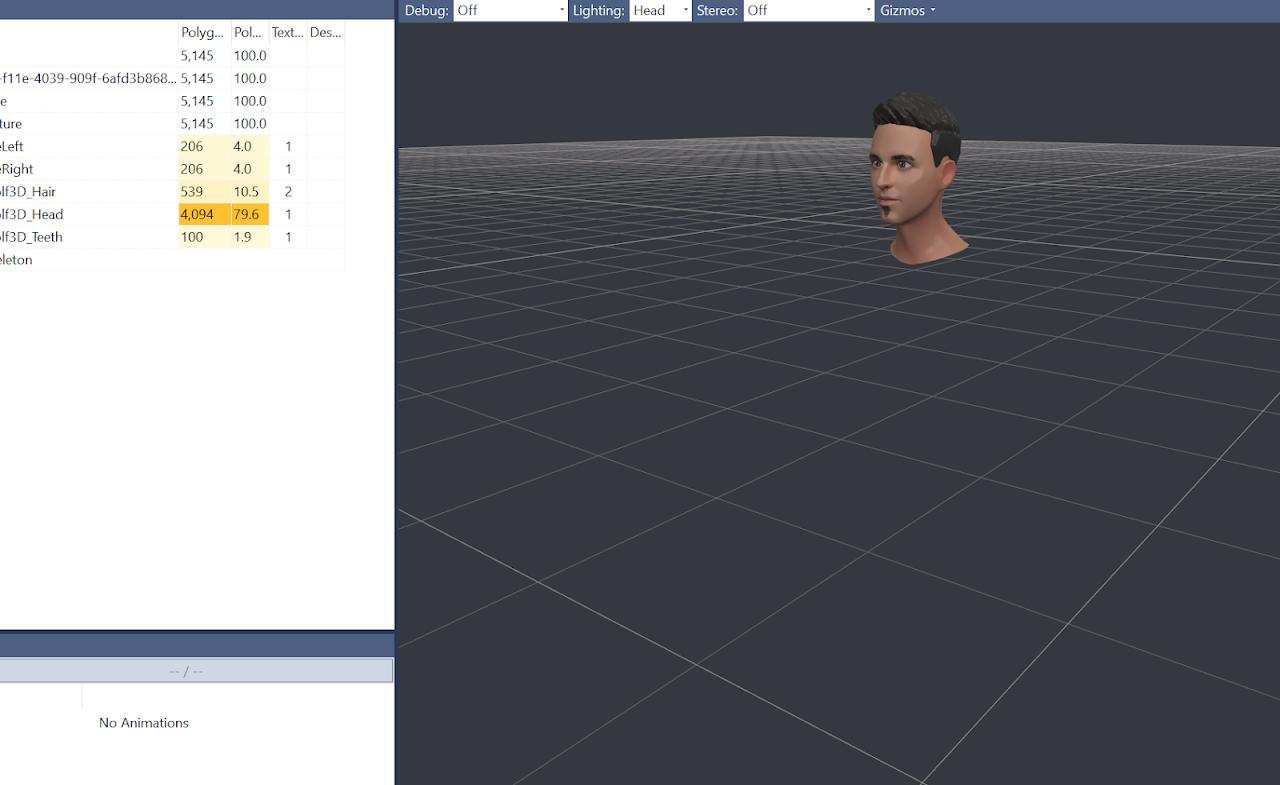
Click on “Amature” on the left and then insert a transform above it to use the transform tools.
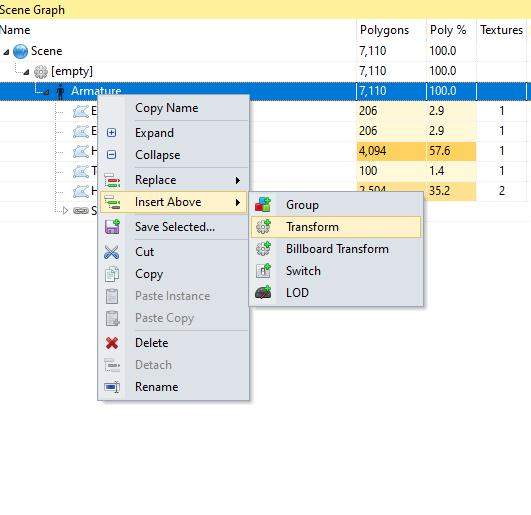
Use the rotate tool on top to rotate the head in Yaw (first value for rotation) 180 degrees.
Use the translate tools to move the avatar head down in Y -1.72 and then back in Z by -0.155 (can adjust further back in Z if you still see your head in front of your eyes in the headset). You may need to bring in one of the existing avatar heads to compare (Util_Files\sightlab_utils\resources\avatar\head)
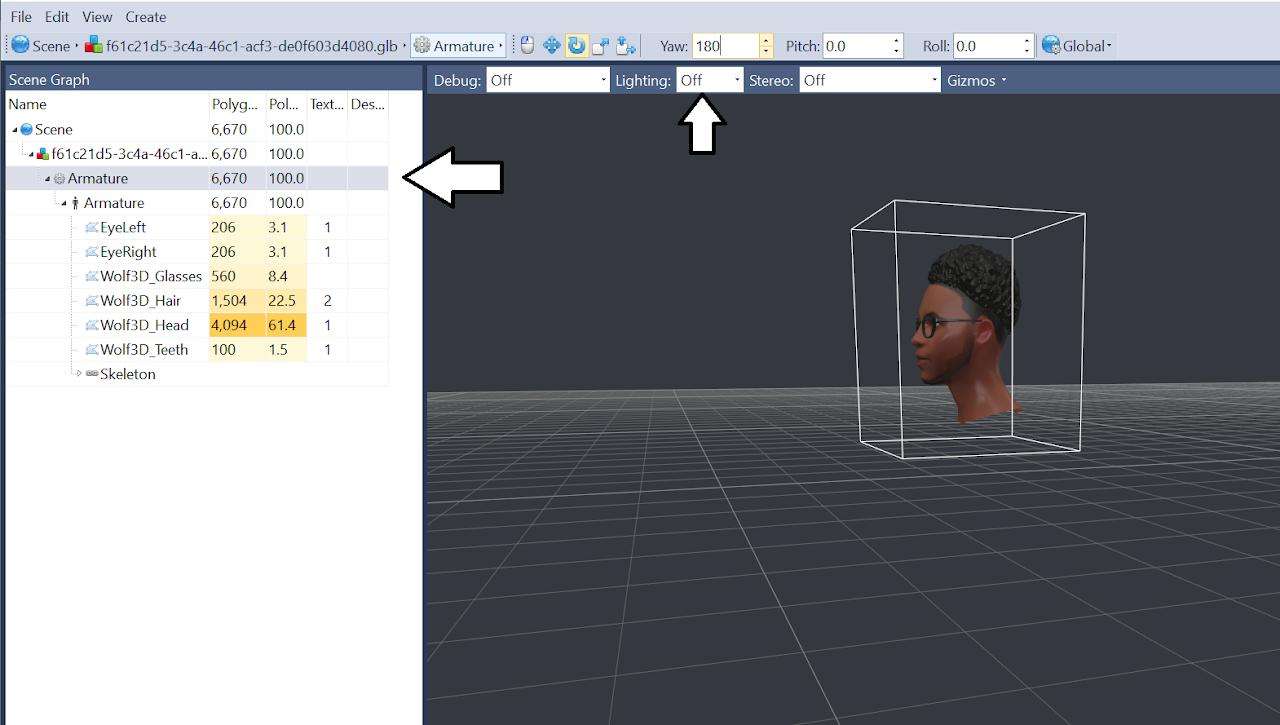 Save the head model from Inspector as a .OSGB model into the resources/avatar/heads folder
Once you have an avatar head saved, just place it in the sightlab_utils/resources/avatar/head folder (may require permissions to write to this folder) on all clients and it will automatically show up as an option in the dropdown. Controllers are added separately in the resources/avatar/hand folder
Additional Avatar Options:
- Mixamo Avatars
- Reallusion Avatars
- Metaperson
- Ready Player Me Avatars
- Avaturn
- See Full Body Avatars page for more information on full body avatars