Data Logging and Replay
E-Learning Lab can save comprehensive session data, similar to what SightLab offers. Enable Data Saving under Advanced settings to capture advanced eye tracking algorithms, interactions, head position, and more.
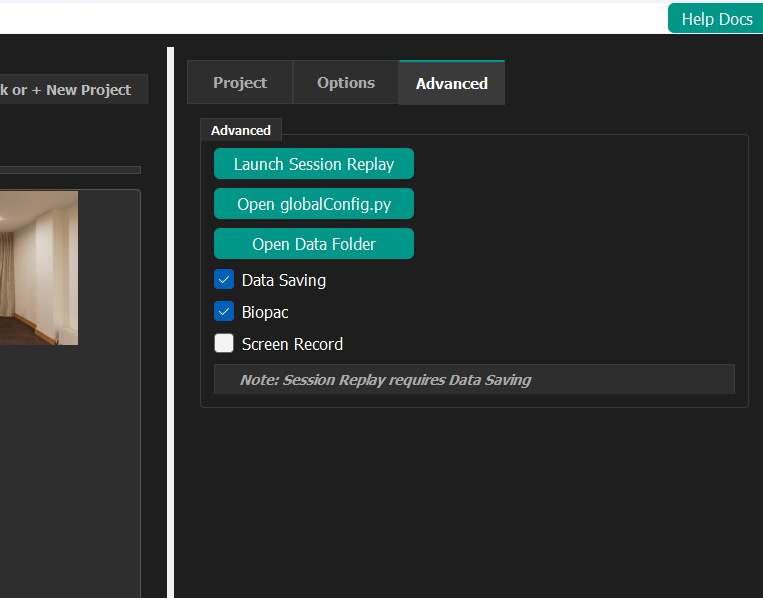
Data Saving Options
- Enables collection of eye tracking data and interaction metrics
- Records head position information
- Supports custom data additions
- Provides access to saved files via Open Data Folder
Where Session Data Is Saved
As of version 1.6.0, the dropdown next to Data Saving on the Advanced tab chooses where session data and quiz responses are written:
- Root Folder — The E-Learning Lab's own
datafolder, with every project's sessions together (the behavior before 1.6.0). - Project Folder — A
datafolder inside each project (collections/<project>/data), so each lesson keeps its own trial data, replay files, microphone recordings and quiz responses.
Open Data Folder opens whichever folder the dropdown points to, for the project that's open. With Project Folder selected, Launch Session Replay first asks which project's sessions to replay, or All projects.
Project data travels with the project
With Project Folder selected, session data is stored inside the project folder, so exporting the project includes it and deleting the project deletes it. Copy the project's data folder somewhere else first if you need to keep it, and remove it from the project before sharing it if you don't want to share participant data.
Biopac Integration
The system can synchronize with Biopac AcqKnowledge for recording physiological data. See the SightLab Biopac Integration page for details.
Screen Recording and Session Replay
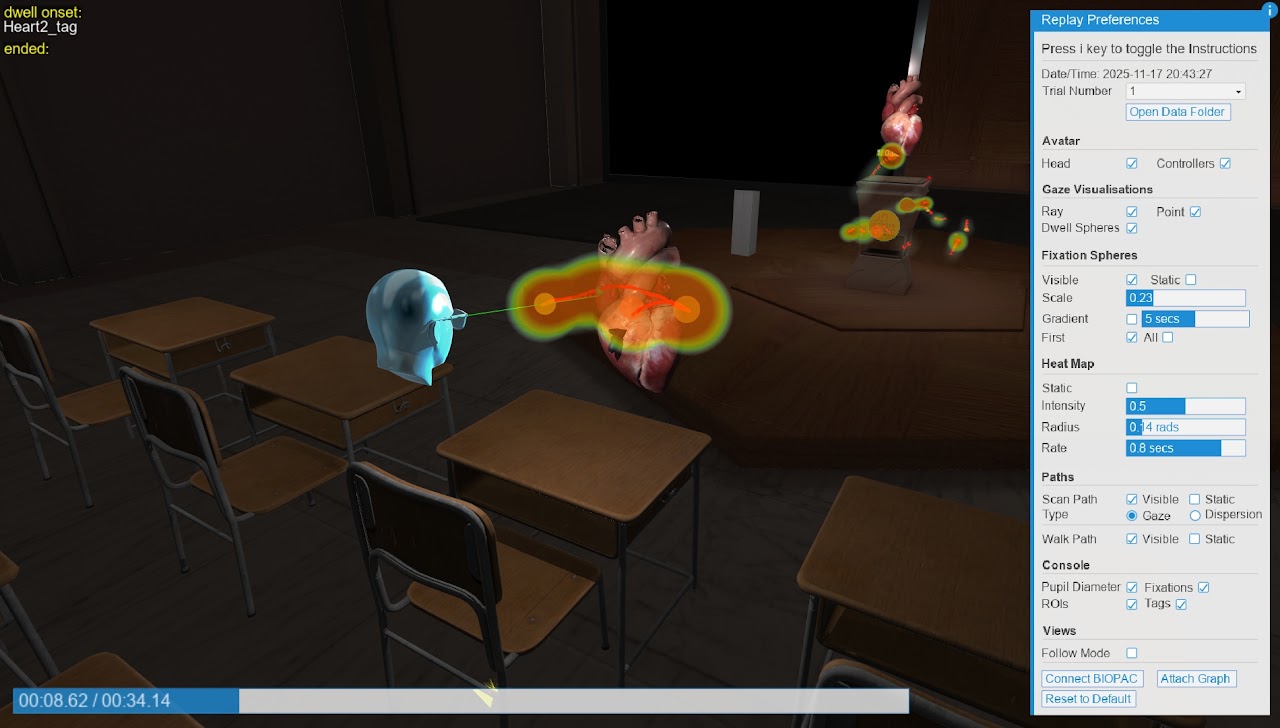
- You can save video recordings of sessions.
- Session replay lets you play back an entire session.
- Data Saving must be enabled first to use session replay.
Recording Microphone Audio
As of version 1.6.0, check Record Microphone on the Advanced tab to record your voice during Single User sessions. The recording is saved as a .wav file next to the session's replay file, with the same date and time in its name (<date-time>__audio_data_1.wav). Like session replay, it requires Data Saving.
Avatar Replay
A session's replay file (.rply) can also be played back inside a lesson: drop it onto a slide and the recorded head and hand movements, plus the microphone recording if there is one, play as an avatar each time that slide starts. See Avatar Replay.
Additional Resources
For comprehensive details on data logging and metrics analysis, see the shared SightLab pages: