Running a Session as Instructor
Overview
The E-Learning Lab instructor mode can operate in desktop or headset environments. Ensure any headset is connected and powered before starting.
Setup Steps
Launch and Connect
- Open E-Learning Lab and select a Project/Lesson.
- Click Run Session and choose Instructor.
- Press Connect to link to the server.
Server Configuration
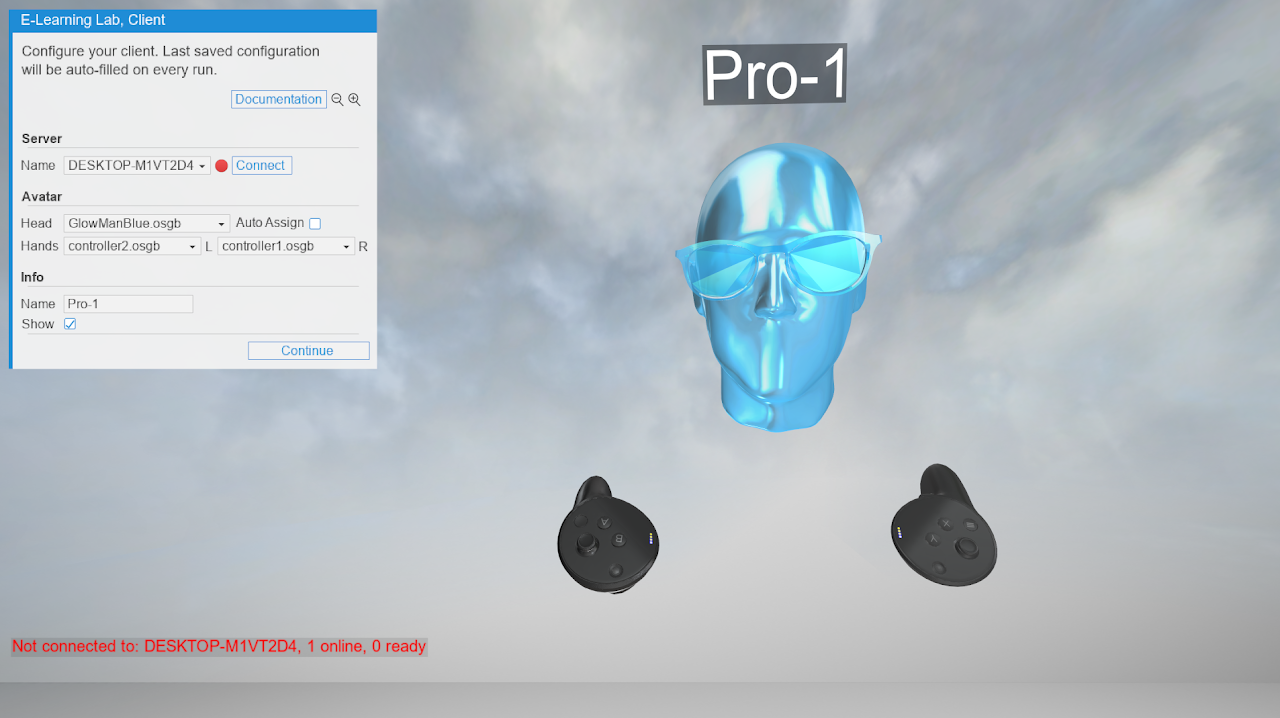
For a first-time login with a project, you must provide the server computer's name:
- Click New in the Server Name dropdown.
- A window appears for name entry.
- Find your device name by searching "About your PC" in Windows and locating the Device Name field.
Once entered, the name is stored for future use within that project.
Avatar and Profile Setup
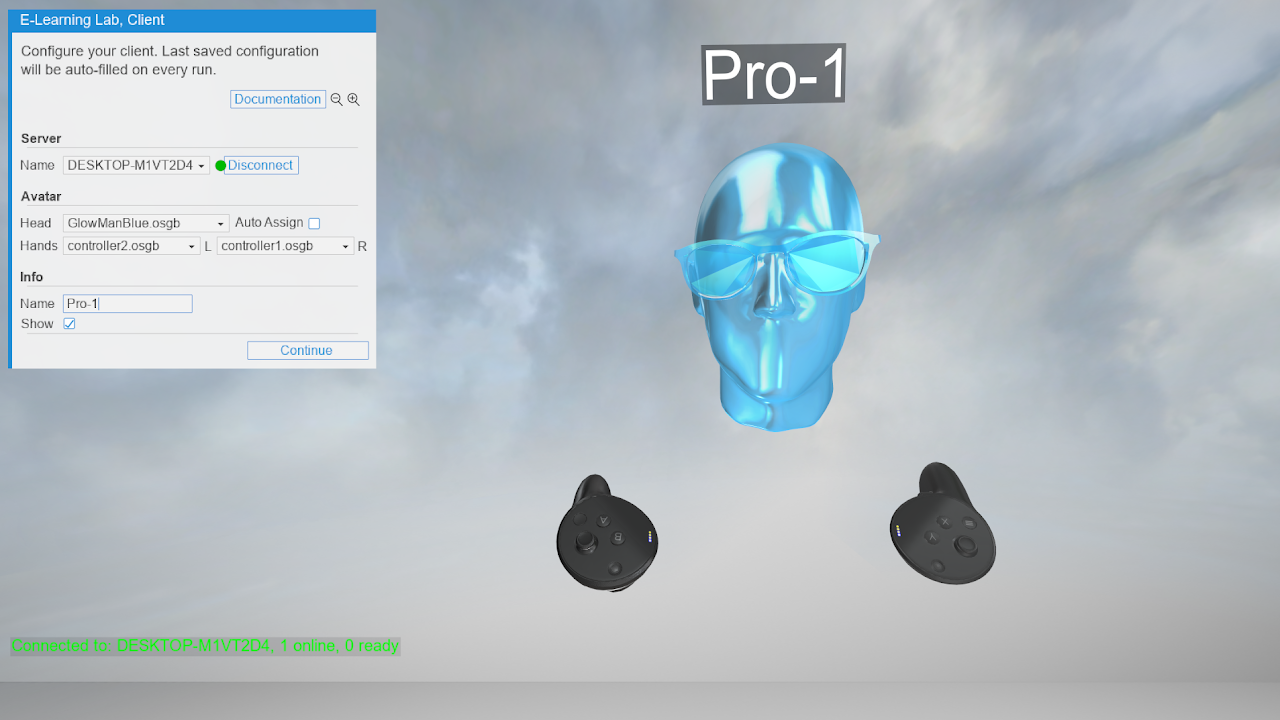
- Select your avatar and name.
- Choose whether to display your name.
- Press Continue.
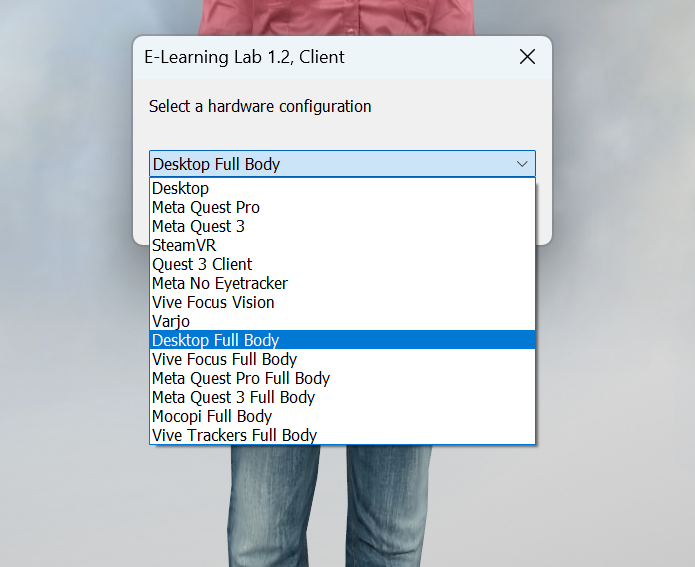
When selecting Full Body avatars, make sure you choose one of the full body avatar presets from the bottom of the list.
During the Session
Navigation and Interaction
See Controls for slide navigation and scene interaction instructions.
Instructor Controls
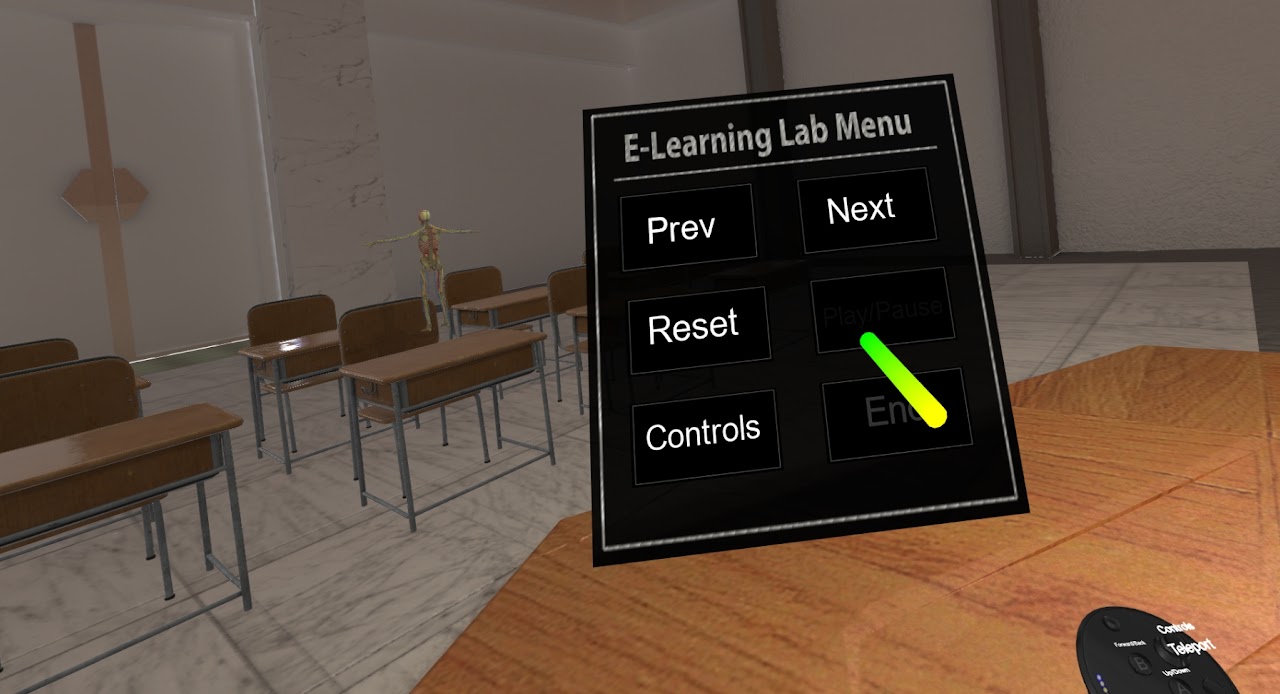
Access the Instructor Menu to use role-specific scene interaction features and controls available exclusively to instructors.