AI Content Generation
Overview
AI-generated content is provided as a starting point to support creativity, efficiency, and exploration. Users are responsible for reviewing and validating all AI-assisted materials — the platform does not guarantee the accuracy of AI-generated content, and it should not substitute for expert instruction.
Available AI Tools
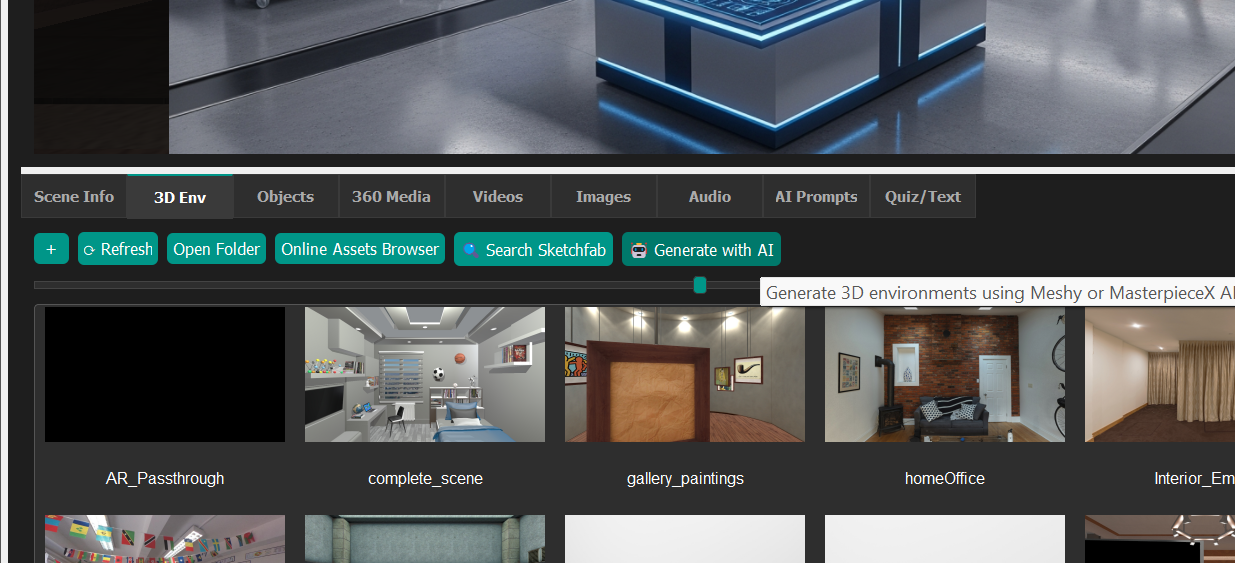
As of version 1.2, the platform supports several AI services:
- Gemini — images, video, 360° media, presentations, AI agents
- OpenAI — alternate image generation, 360 images, video, presentations, AI agents
- Meshy — 3D models and avatar creation
- Tripo 3D — 3D models and avatars
- MasterpieceX — 3D model generation
- SketchFab — asset library access (see SketchFab Integration)
- Stable Diffusion — offline image generation, no API key required (see Offline Image Generation)
Note for all of them except for offline Stable Diffusion you will need to get an API key and store it. API keys can be set in the "Options" tab.
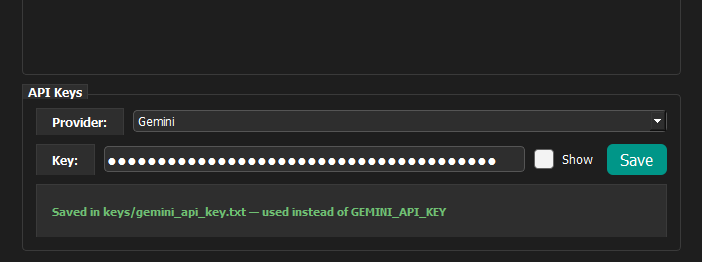
API key links:
- Gemini: aistudio.google.com/apikey
- OpenAI: platform.openai.com/settings/organization/api-keys
- Meshy: meshy.ai/settings/api
- Tripo 3D: platform.tripo3d.ai/api-keys
- MasterpieceX: developers.masterpiecex.com/apps (create an app to generate a bearer token)
- SketchFab: sketchfab.com/settings/password (API token is listed on this page — see SketchFab Integration)
- Anthropic (Claude, used for AI agents): platform.claude.com/settings/keys
- ElevenLabs (text-to-speech for AI agents): elevenlabs.io/app/developers/api-keys
- SDXL: Local (offline image generation — see Offline Image Generation)
Content Generation Categories
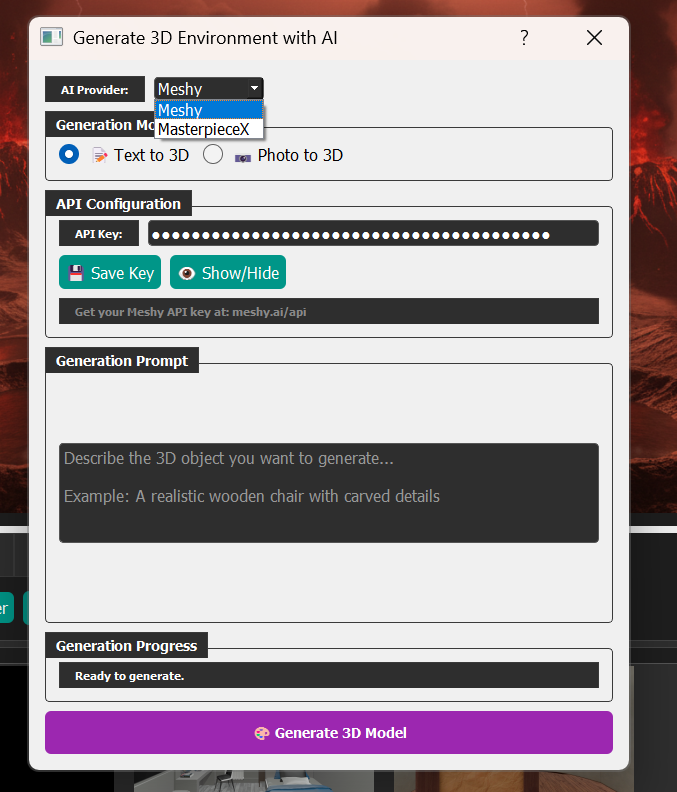
- 3D Models — Choose between Meshy, Tripo, and MasterpieceX, using either text prompts or image-to-3D conversion.
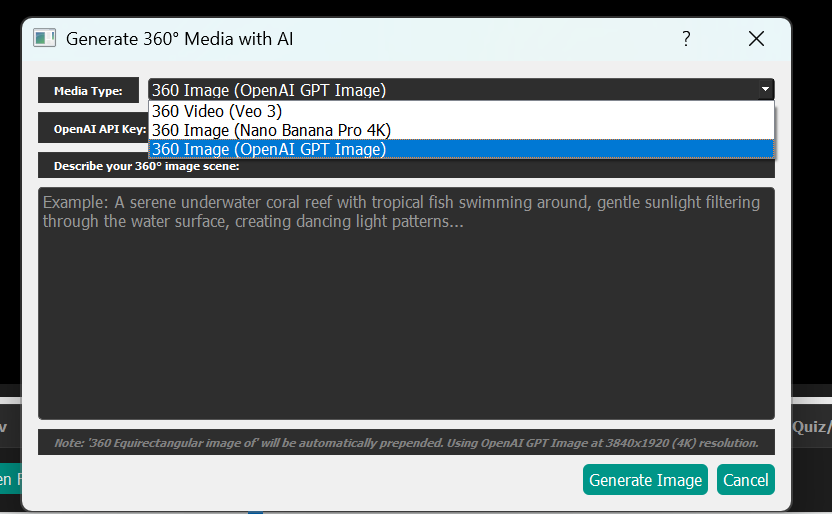
- 360 Media — Generate 360 videos via Veo3, or 360 images through Gemini, OpenAI, or offline Stable Diffusion.
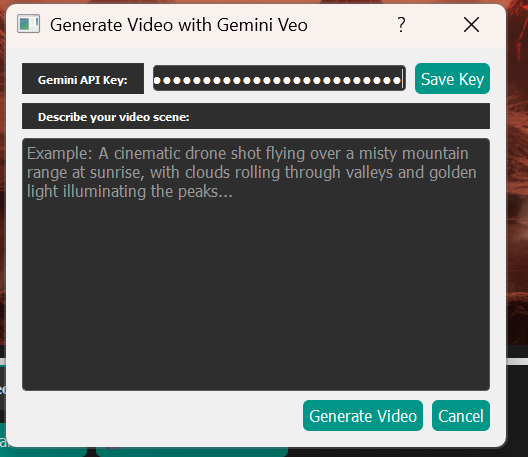
- Standard Video — Veo3 enables video generation.
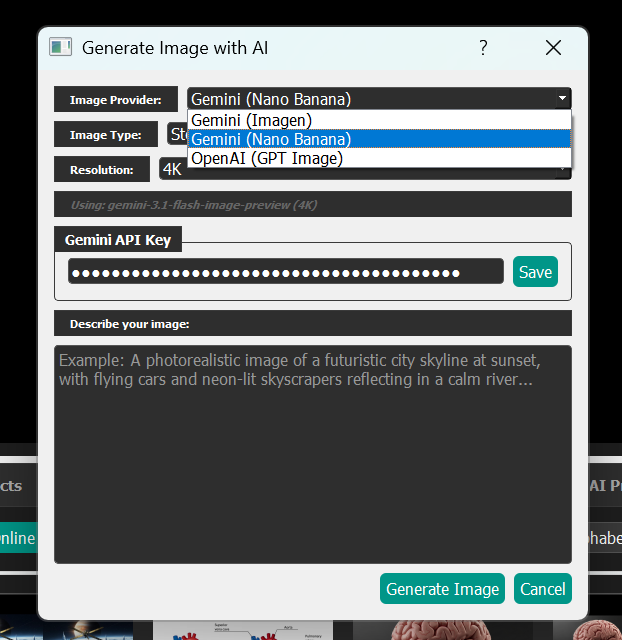
- Images — Choose Gemini Image 4, Nano-Banana, or OpenAI GPT-Image, with mono or stereo/3D options available (see Converting Monoscopic Images to Stereo).
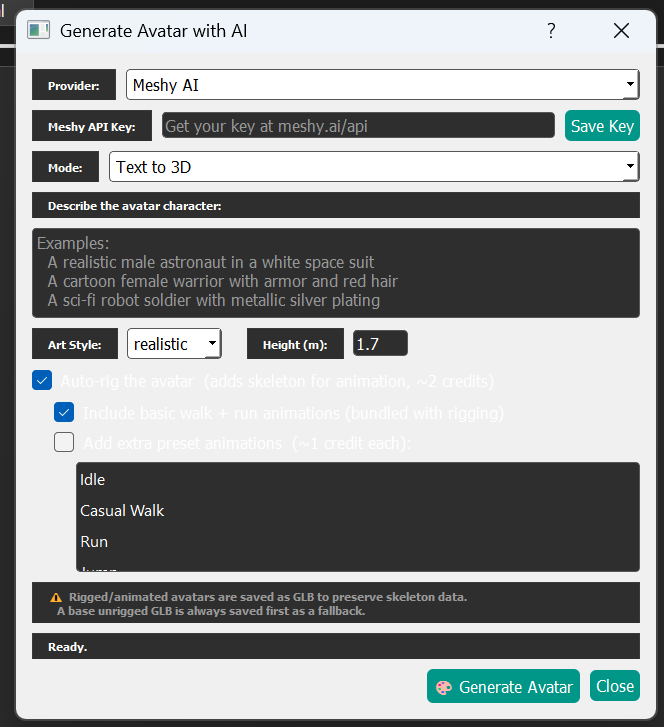
- Avatars — Generate fully rigged avatars from text prompts or photos using Meshy or Tripo.
Additional Features
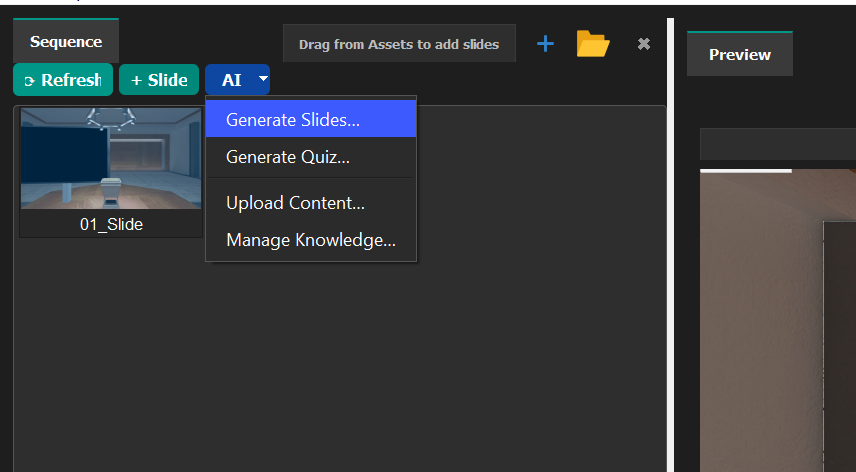
Upload PDFs, images, and text to generate contextual quizzes, AI Agent discussions, and supplementary slide content within the scenes panel. See Quizzes and AI Intelligent Agent.