Controls
AI Agent Controls
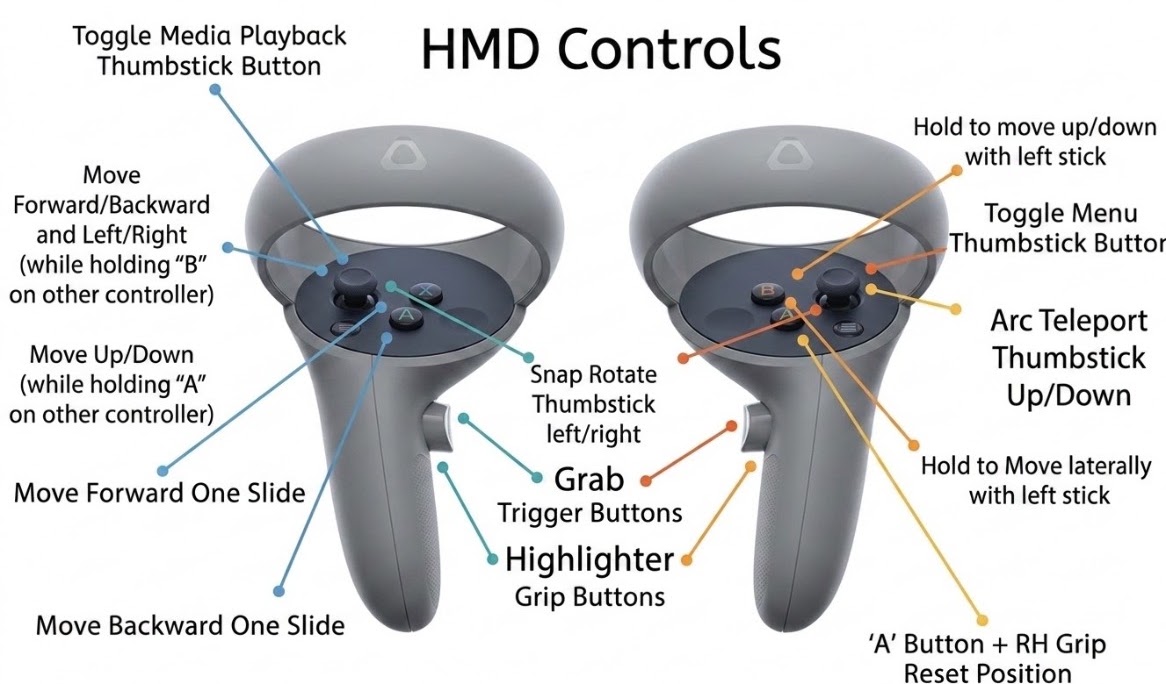
- B button (Headset) / AI Agent - B — Speak with Agent
- A button (Headset) / AI Agent - 2 — Speak with Agent
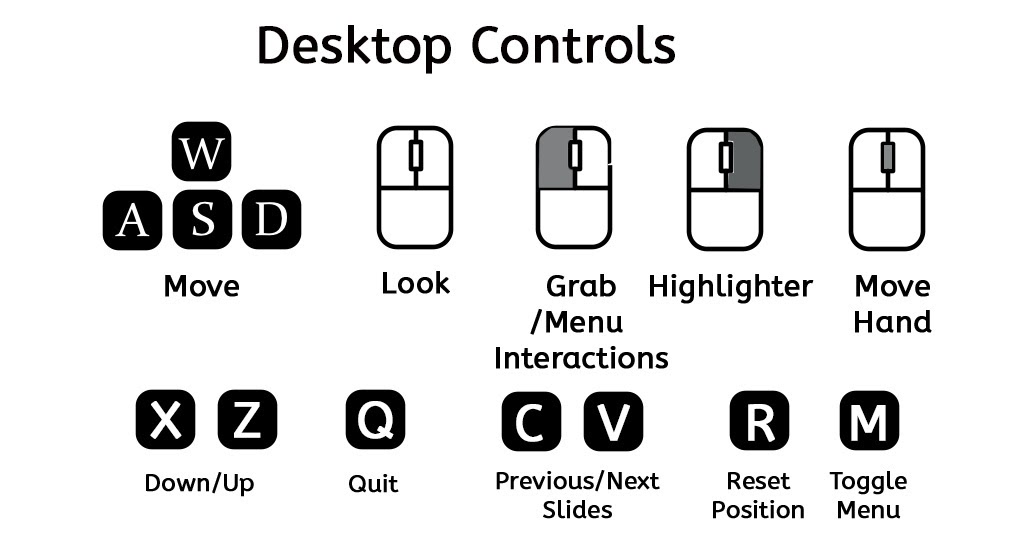
- '2' key or RH B button — Speak or chat with AI Agent
- 't' key or RH A button — Interactive Object Info
Additional Keyboard Shortcuts
- / — Capture screenshot
- 1 — Toggle Media/Narration Playback
- 3 — Toggle Instructor Video/Image Screen
- ; — Toggle Mouselock
- F2 — Toggle Fullscreen
- TAB — See currently connected clients (desktop mirrored window)
- h — Capture and send screenshot to agent
- i — Show or hide the avatar agent
- p — Show or hide the eye tracking gaze point (follows head position if no eye tracker is available)
Virtual Menu Instructions
For Desktop
- Press m to toggle the menu
- Move the highlighter over the desired menu button
- Click Left Mouse Button to select
- Alternative: click directly on the menu option
For Headset
- Press RH Thumbstick to toggle the menu
- Point the highlighter at the desired button
- Press Right Hand Trigger to select
Virtual Menu Buttons
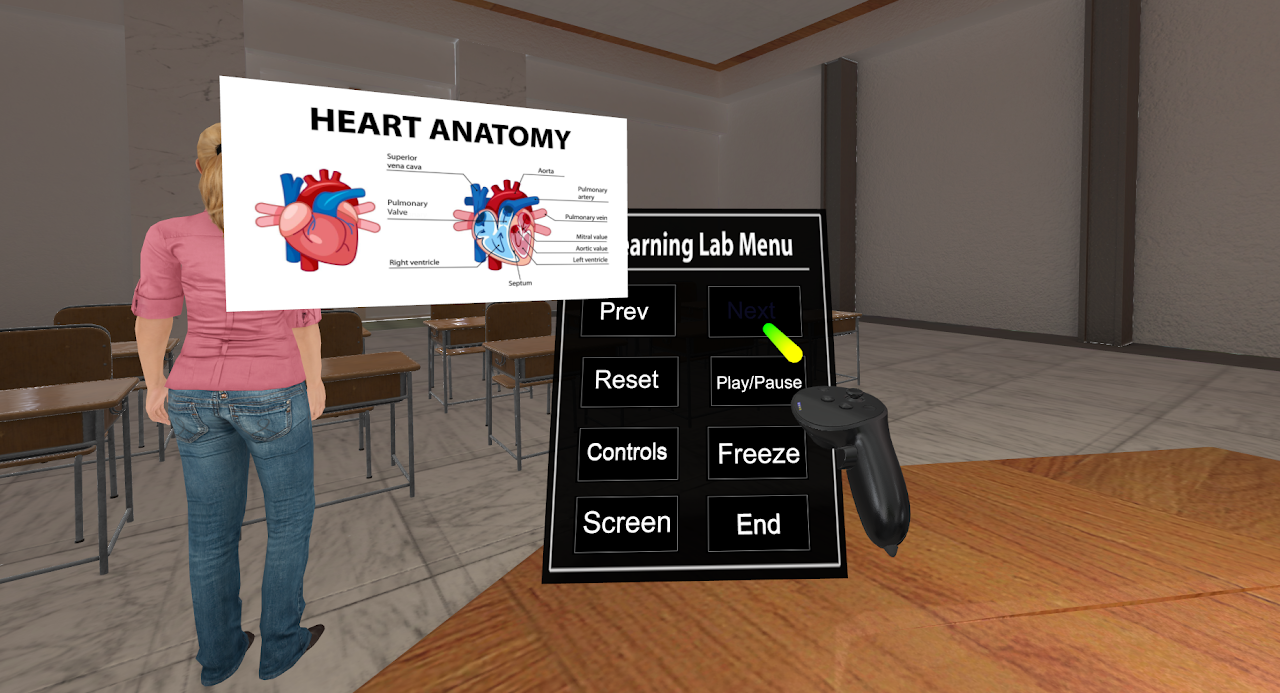
- Prev — Previous Slide
- Next — Next Slide
- Reset — Reset Positions
- Play/Pause — Toggle Media Playback
- Controls — Show the controls
- Freeze — Toggle client transport freezing
- Screen — Toggle Instructor screen display
- End — End the session