Visual Search Sample Guide
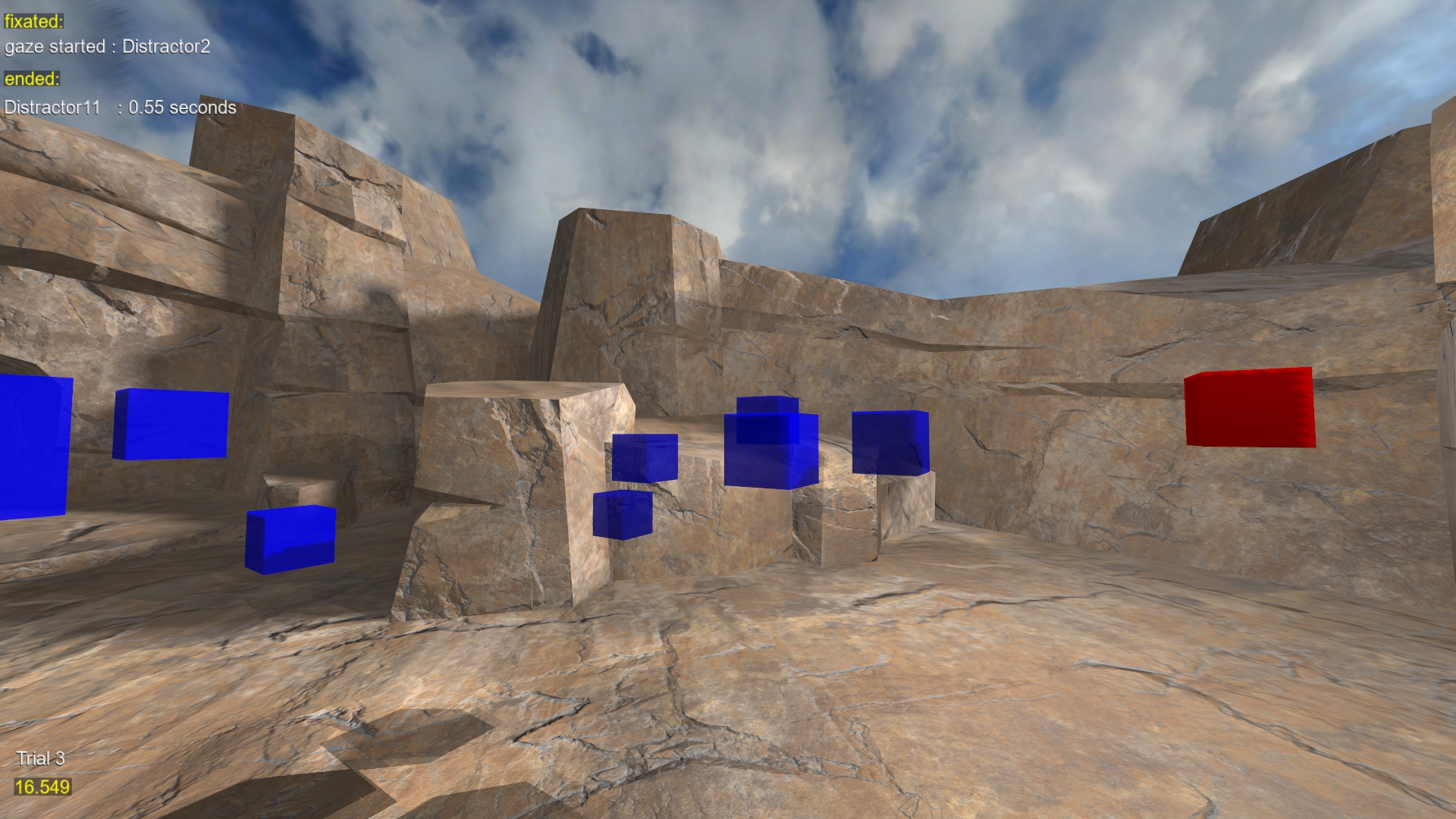
This guide walks you through customizing a Visual Search Task in SightLab VR, where participants locate a target among distractors using gaze-based detection. The script records reaction time per trial and allows for either feature or conjunction search.
For other Visual Search templates see this page, or use the SightLab GPT Assistant and describe the parameters of your visual search paradigm.
⚙️ Editable Parameters
Customize these settings at the top of the script:
# Enable conjunction search (target shares features with distractors)
CONJUNCTION_SEARCH = False

# Set how many distractors per trial
NUM_DISTRACTORS = 11

# Total number of trials in the experiment
TRIALS = 3

# Choose your environment
ENVIRONMENT = 'sightlab_resources/environments/RockyCavern.osgb'
🎯 Target & Distractor Models
By default, this script uses .osgb models for objects:
- If
CONJUNCTION_SEARCHisFalse: - Target: Red cube
- Distractors: Blue cubes
- If
True: - Target: Red sphere
- Distractors: Red cubes and blue spheres
You can swap models using:
TARGET_OBJECT = vizfx.addChild('path/to/your_model.osgb', color=viz.RED)
You can also adjust distractors via:
DISTRACTOR_FACTORIES = [
    lambda: vizfx.addChild('your_model_path.osgb', color=viz.BLUE)
]
🗺 Object Placement Settings
Objects spawn randomly in a 3D volume defined by:
X_RANGE = (-2.0, 2.0)   # left/right
Y_RANGE = (1.2, 2.0)    # up/down
Z_RANGE = (-2.0, 3.0)   # forward/back
MIN_DISTANCE = 0.5      # minimum distance between objects
This ensures spatial separation between target and distractors.
✅ Gaze-Based Detection
Gaze is automatically tracked on the TargetCube and distractors. The trial ends once the participant looks at the target long enough.
sightlab.addSceneObject('TargetCube', target, gaze=True)
Gaze events are handled with:
def gazeOnTarget(e):
    if e.object == sightlab.sceneObjects[GAZE_OBJECTS]['TargetCube']:
        # Save reaction time and end trial
🔁 Trial Flow
The script sets up trials like this:
- Show instructions:
"Find the red cube!"(customizable). - Wait for trigger press.
- Randomly place objects.
- Wait for gaze detection on the target.
- Log reaction time.
- End trial.
🧪 Output & Summary Data
After each trial, the time to locate the target is saved:
sightlab.setExperimentSummaryData('Time to Find Target', time_to_find_target)
SightLab automatically logs this to CSV under your project’s data folder.
🧱 Extending It
You can expand this experiment in several ways:
- Add target-absent trials
- Vary the number or type of distractors
- Include a rating scale after trials (see SightLab's
showRatings()in the rating scale doc) - Use
sightlab.showInstructions()for multi-step instructions
Visualizations
Use the Session Replay to replay gaze paths, walk paths, heatmaps and more using SightLab’s built-in tools.
Additionally, is using the SightLab Dashboard you can generate additional visualizations based on your task.
Biopac Integration
Send markers using:
sightlab = sl.SightLab(gui=False, biopac = True)