Vive Trackers
Full Body Tracking • Object Tracking • Avatar Support • SteamVR & OpenXR
SightLab provides a flexible and powerful set of tools for using HTC Vive Trackers and Vive Ultimate Trackers in VR research.
This page explains everything you need to know to use Vive Trackers for:
✔ Full-body avatars
✔ Object tracking
✔ Saving 6DoF tracker data
✔ Customizing avatars
✔ Using new SightLab 2.6+ full-body presets
1. Enabling Full Body Avatars
1.1. From the GUI (Single or Multi-User)
In both the SightLab GUI and Multi-User Client, simply:
- Open the project
- Go to Avatar Settings
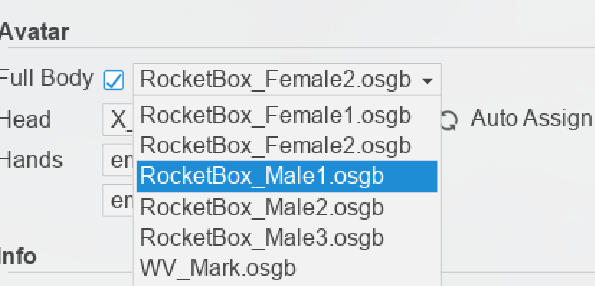
- Enable ✔ Full Body
This unlocks the list of compatible avatars stored in:
C:\Program Files\WorldViz\Sightlab2\sightlab_resources\avatar\TrackedAvatars
Avatar Preview
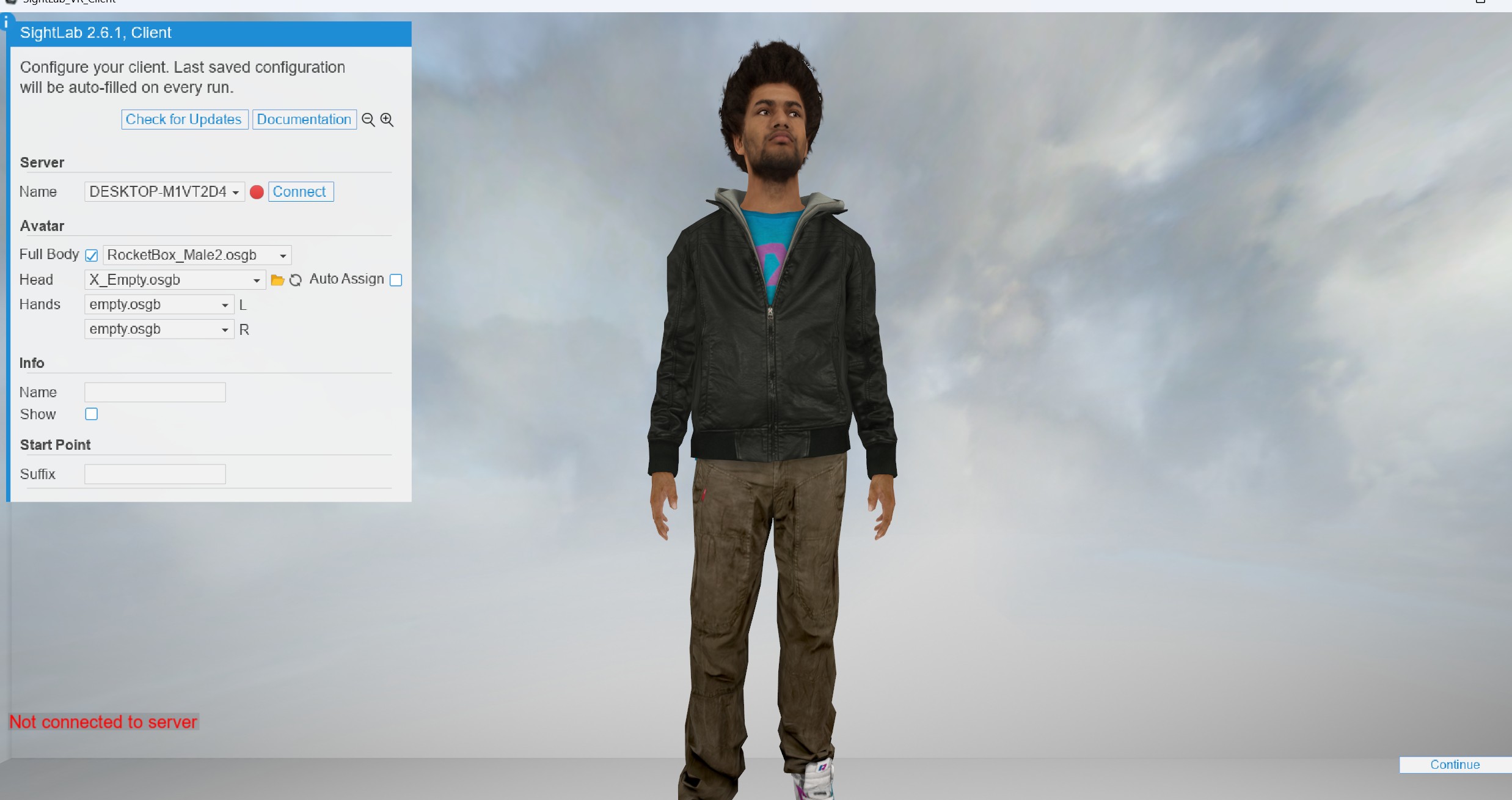
- Multi-User Client shows the preview automatically.
- Single-user GUI → click Show to display the avatar in the scene.
1.2 From Code (Non-GUI Scripts)
For scripts that run without the GUI, full body can be enabled directly in the SightLab (or SightLabClient) constructor — the code equivalent of the GUI's Full Body checkbox and avatar dropdown:
import sightlab_utils.sightlab as sightlab

avatarPath = r'C:\Program Files\WorldViz\Sightlab2\sightlab_resources\avatar\TrackedAvatars\RocketBox_Female1.osgb'

sl = sightlab.SightLab(fullbodyavatar=avatarPath)
Passing fullbodyavatar auto-enables full body (no need for fullbody=True). To use the default tracked avatar instead, pass fullbody=True. See Full Body Tracked Avatars for full details.
1.3 Avatar Compatability
Vive Trackers require avatars with a compatible retargetable full-body skeleton.
- Complete Characters (CC Library)
All included in SightLab & fully supported for Tracker rigs.
(contact support@worldviz.com to see about getting the full library of Complete Character avatars).
2. Selecting the Correct Tracker Mode in SightLab
SightLab includes several presets for Vive Trackers. Choose the one that matches your hardware.
2.1 Full Body Tracking Modes (NEW – SightLab 2.6+)
| Your Hardware | Choose This Mode |
|---|---|
| SteamVR headsets (Vive Pro Eye, Vive Pro 2, Index, Varjo, etc.) with Vive/Ultimate Trackers | Vive Trackers Full Body |
| Vive Focus 3 / Focus Vision using Vive Business Streaming + Ultimate Trackers | Vive Trackers Full Body Focus Vision |
These presets automatically:
- Configure tracker roles (hips, feet, chest, elbows)
- Enable full-body IK
- Link the correct avatar bones
- Handle multi-user replication
This is the recommended modern workflow.
2.2 Legacy Tracker Configurations (Still Available)
These allow manual avatar swapping or specific older workflows.
| Dropdown Name | File Used | Avatar |
|---|---|---|
| Vive Trackers SteamVR | vizconnect_config_viveTrackers.py |
Mark avatar |
| Vive Trackers CC | vizconnect_config_viveTrackers_CC.py |
Complete Character (male) |
| Vive Trackers CC Female | vizconnect_config_CC2.py |
Complete Character (female) |
3. Object Tracking (Non–Full-Body)
If you want to track an object, not the user’s body:
- Use your normal headset config (e.g., “Vive Pro Eye”)
- Attach the Tracker to the physical object
- Use the example in:
ExampleScripts/ViveTrackers/Object_Tracking
This shows:
- How to attach a Tracker to a 3D model
- How to save its 6DoF pose into the data file
- How to visualize it in VR
4. Saving Tracker Data (6DoF Logging)
SightLab automatically logs gaze, head, and interactions. For tracker poses, the easiest approach is the built-in body_tracking_metrics module, which saves 6DoF data for every tracker and both hands — and optionally logs movement metrics — without writing per-frame logging code.
import sightlab_utils.body_tracking_metrics as btm

bodyTracking = btm.BodyTracking(sightlab)
With three lifecycle calls per trial it will:
- Save 6DOF (position + orientation) for each Vive tracker and both avatar hands into the standard
trial_datafile. - Log derived movement metrics to a separate
body_metricsCSV — linear speed/acceleration, angular speed/acceleration, cumulative path length, and an Idle/Active state per body.
🔗 For full setup, configuration options, and output details, see Body Tracking & Movement Metrics.
Working examples are in
ExampleScripts/ViveTrackers(ViveTrackers_FullBody.pyandViveTrackers_FullBody_GUI.py).
Visualizing a Tracker Path
The Plotly_Tracker_Path.py script (in ExampleScripts/ViveTrackers) reads the saved trial_data file and renders an interactive 3D path. Set the BODY constant at the top of the script to choose what to plot — 'Head', 'RHand', 'LHand', or 'Tracker1'/'Tracker2'/'Tracker3'.
Manual logging (advanced)
If you prefer to log a single tracker manually, you can add custom columns yourself:
import steamvr
import vizact
tracker = steamvr.getTrackerList()[0]

# Add custom columns
cols = ['Tracker1 X','Tracker1 Y','Tracker1 Z','Tracker1 Yaw','Tracker1 Pitch','Tracker1 Roll']
for c in cols:
    sightlab.addCustomTrialDataColumn(c)

def log_tracker():
    pos = [round(v,3) for v in tracker.getPosition()]
    rot = [round(v,3) for v in tracker.getEuler()]

    sightlab.setCustomTrialData(str(pos[0]), 'Tracker1 X')
    sightlab.setCustomTrialData(str(pos[1]), 'Tracker1 Y')
    sightlab.setCustomTrialData(str(pos[2]), 'Tracker1 Z')

    sightlab.setCustomTrialData(str(rot[0]), 'Tracker1 Yaw')
    sightlab.setCustomTrialData(str(rot[1]), 'Tracker1 Pitch')
    sightlab.setCustomTrialData(str(rot[2]), 'Tracker1 Roll')

vizact.onupdate(0, log_tracker)
This works for:
- Hip, foot, chest, elbow trackers
- Handheld tools
- Props or objects
5. Mirror Scene
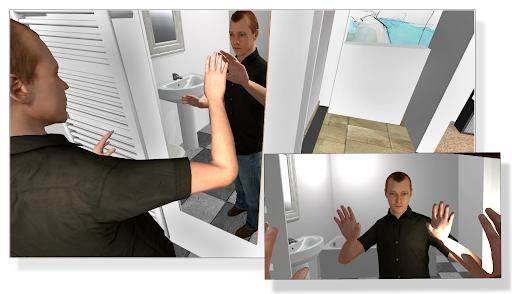
SightLab includes a mirror demo to help validate:
- Tracker alignment
- IK posture
- Tracker role assignment
- Avatar scaling
Located at:
ExampleScripts/ViveTrackers/Mirror
6. Replay Mode (Tracker Limitations)
Replay currently supports:
✔ Head and gaze
✔ Controller actions
✔ Interaction events
Replay does NOT yet support:
✘ Full-body avatar playback
✘ Tracker-driven skeleton recreation
Optional workaround (recommended):
Add a small visible avatar head so viewer movement is easier to interpret:
avatarHead = replay.sceneObjects[AVATAR_HEAD_OBJECT]['1']
glowbot = vizfx.addChild(r'.../GlowManBlue.osgb')

def replaceAvatarHead():
    viz.link(avatarHead, glowbot)

vizact.onupdate(0, replaceAvatarHead)
7. Helpful Example Scripts
Located in:
ExampleScripts/ViveTrackers
Includes:
- Mirror Scene (self view)
- Full body IK demo
- Object tracking demo
- Saving Tracker 6DoF data
These are extremely useful starting points.
8. Further Setup Guides (Highly Recommended)
- Vive Trackers Setup
https://www.worldviz.com/tech-tips/htc-vive-tracker-setup - Vive Ultimate Trackers Setup Guide
https://help.worldviz.com/sightlab/vive-ultimate-trackers/ - Full Body Avatars (General)
https://help.worldviz.com/sightlab/full-body-avatars/